Cursor AI Review: Pricing, Features & Final Verdict
As a tech-savvy developer, I have been curiously trying new AI editing tools since they first launched. GitHub Copilot, Warp AI, Claude Code, and GPT Codex 5 are only a few I tried and tested, but Cursor AI remains the one that I can call my go-to AI code editor. However, a beginner may feel a little overwhelmed until they master the tool, so we put all our experience of using it in this detailed Cursor AI review.
Despite using a number of AI code editors, I keep coming back to Cursor AI every single day. And in my opinion, it has pretty much everything. It is realistic about UX, the features are undoubtedly great, and the best part is that it ships faster than any other AI editor out there. But that doesn’t mean Cursor AI is free of all flaws; it has many, which I will uncover as this review progresses.
This post will be your guide to understanding Cursor AI, the features that matter for you, the good and the bad about the platform and finally the verdict that helps you decide whether to go for it or not.
What is Cursor AI?
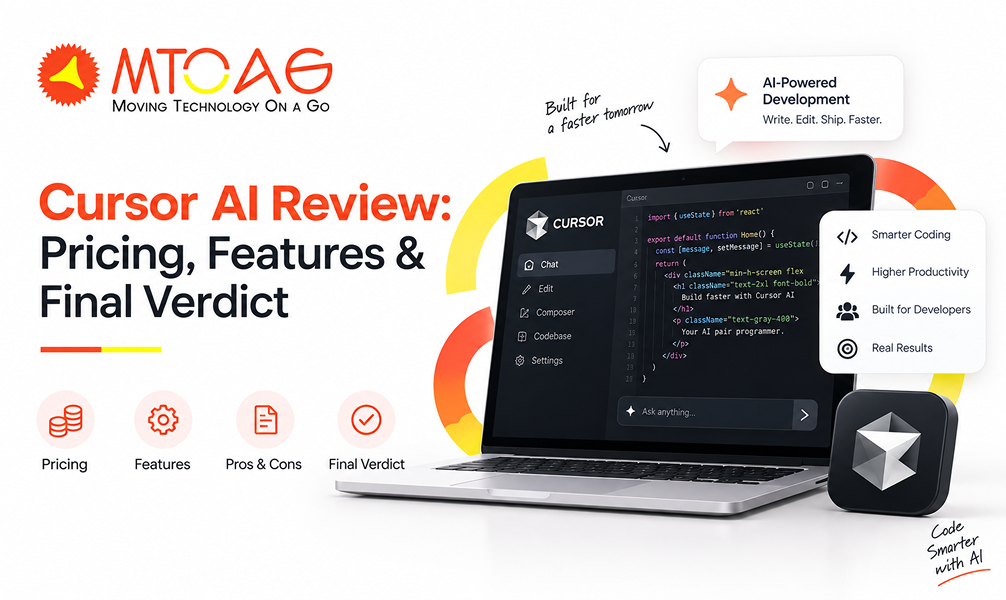
Cursor AI is an AI-first coding agent and editor, designed on Visual Studio Code (VS Code) to streamline developers’ experience. The tool integrates AI capabilities into the center of the software development workflows. The development team can interact with the agent easily, asking queries, requesting changes and navigating large codebases without switching to another tool.
The tool literally handles each and every phase of the software lifecycle from planning to code writing to reviewing, which helps the team to ship faster and better. What I personally liked about Cursor is its adaptability to different programming languages, such as Python, JavaScript, HTML, CSS and Rust. Some of the standout highlights of Cursor AI include:
Context-aware chat that understands the developer’s code repository.
AI-advanced agent with diffs, planning and branch/PR workflows.
Native browser for debugging, testing, and UI polish.
My First-hand Experience of Using Cursor AI Based on 5 Criteria
I have tested Cursor based on the top 5 critical criteria that give a full picture of whether this code editor is worth all the hype.
Features
Features are the area where Cursor really shines and show what professional AI capabilities really are. The tool professionally covers the essentials of AI-based development, especially codebase understanding, multi-model access, and natural language commands.
The tool expertly understands codebases using advanced embedding models. While GitHub Copilot sees the current files only, Cursor AI indexes the entire repository. I tested this feature on a 50,000-line codebase and found that AI accurately referenced functions from other files and even understood the custom API patterns. I was further surprised when it suggested code that matched my existing architecture.
The embedding updates when there is a code modification and maintains accuracy as the project progresses. More like Cursor AI works as your junior who knows the entire codebase.
With seamless access to Claude, GPT-5 and Gemini, Cursor provide flexibility to choose the best AI assistant. We trusted GPT-5 for our task of problem-solving, while using Claude for precise refactoring and Gemini for data processing. Claude was great with refactoring legacy code with over 85% accuracy; GPT was good too, but it overengineered the solution.
While you code on Cursor, background agents work to prepare refactorings or test generations in parallel to code generation. However, there are occasional hallucinations where it may suggest non-existent libraries or APIs, which requires manual verification.
Ease of Use
I tested Cursor in my three production projects, and to be honest, it was one of my best decisions. Hailing from VSCode, Cursor has that familiar interface that we already know, eliminating the time to learn the new interface.
On my macOS, it took only 3 minutes to install, and I imported the entire VSCode configuration to it, which included custom keybindings, extensions, and colour themes. The AI features are integrated naturally, and the tab completion appears inline as you type. For instance, when I typed “create REST API endpoint for user authentication,” it generated the correct code in like 15 minutes.
The best part was the codebase embedding that runs automatically in the background. It indexes the entire project within 5-10 minutes for small and medium-sized repositories. This leads to AI understanding naming conventions, specific code patterns, and architecture. The suggestions significantly improved after 2-3 days of the embedding process.
Available Integrations
The best thing I discovered about Cursor AI was its integration capabilities. It integrates seamlessly with Slack, GitHub and Linear for development workflow integration. The setup interface has clean “Connect” buttons for each service and also has a “Skip for Now” button.
The GitHub integration is one of Cursor's best features. Setting it up was quick and easy. We connected it to three different repositories, from small projects to much larger ones, and the whole process took less than two minutes. After signing in with GitHub and selecting the repositories, Cursor started indexing the code automatically.
Once connected, Cursor can review pull requests using AI. During our testing, we created 15 pull requests and let Cursor analyze them. It found three real bugs and pointed out several code quality issues that we had overlooked during manual reviews. It also keeps your local project and GitHub repository in sync, which makes teamwork much smoother.
The Slack integration is useful if your team wants updates without constantly checking Cursor. We set it up to send notifications whenever an AI code review was completed or when a background task was ready. It worked well, but there is one downside. You cannot choose exactly which notifications you want, so busy Slack channels can become crowded with updates.
Cursor also connects with Linear for project management. This makes it easy to link code changes with tasks and bug reports. We tested the Bugbot feature by describing a bug in plain English. Within a minute, Cursor found the related code, suggested a fix, and opened a pull request connected to the correct Linear issue. This saved a surprising amount of time and made the entire process feel much faster.
Customer Support
Cursor mainly offers support through email and its online community. We contacted the support team twice during our testing. One question was about usage limits, while the other was related to indexing a large codebase. In both cases, we received detailed replies within about two days. The answers were clear, technical, and solved our problems without much back and forth.
The documentation is another strong point. It includes step-by-step guides, videos, and explanations for many advanced features such as custom AI models, integrations, and better prompting techniques. Most of the questions we had were already answered in the documentation. The in-app tips also helped us discover features we had not noticed before. However, the guides could do a better job covering more advanced project structures and troubleshooting.
Cursor also has a large Discord community where developers regularly help each other. We asked a question about improving performance for a large TypeScript project and received several useful replies from both community members and a Cursor engineer within a few hours. This makes the community a valuable place to learn and solve common problems.
The biggest drawback is the lack of live support. There is no live chat or priority help, even on the most expensive plan. If you run into a serious issue while working on an important project, waiting one or two days for an email reply can be frustrating. Faster support would make the premium plans much more valuable.
Value for Money
Cursor offers a free Hobby plan, so anyone can try it without entering payment details. It also includes a one-week trial of the Pro plan, giving users enough time to explore its premium features. The free version works well for learning the platform or handling smaller personal projects, although we started reaching the usage limits after using it regularly for about two weeks.
The Pro plan costs $20 per month and unlocks higher usage limits, unlimited tab completions, background AI agents, and larger context windows. It is a good choice for developers who code regularly and want AI assistance throughout the day.
The Pro+ plan costs $60 per month and provides much higher usage limits for models like GPT, Claude, and Gemini. We upgraded after running into the Pro plan limits several times during active development. The additional capacity made a noticeable difference and was enough for full-time work without constantly worrying about usage.
For developers who use AI throughout the day, Cursor can easily save over an hour of work every day by reducing Repetitive coding and debugging. Over a month, that can add up to many hours of extra productivity, making the subscription cost worthwhile for professionals. The only thing to keep in mind is that every developer needs a separate license. Teams cannot share one subscription, so costs increase as the team grows.
Limitations of Cursor AI
Cursor AI is one of the best coding assistants we have tested, but it is not perfect. There are still a few things you should know before depending on it for daily work.
Make mistakes: Although the suggestions are often useful, Cursor sometimes edits the wrong part of a file or generates code that is not completely correct. We found that reviewing every AI-generated change is still necessary before accepting it.
Beginners should be careful: New developers may be tempted to trust every suggestion without understanding how the code works. While Cursor can speed up learning, relying on it too much can also create bad habits. It works best when used as an assistant rather than a replacement for learning.
Large projects can still be challenging: Like most AI coding tools, Cursor sometimes loses track of the bigger picture in very large projects. This can lead to inconsistent suggestions or answers that miss important context. It does a good job overall, but developers working with huge codebases should still expect to guide the AI from time to time.
Conclusion
After this detailed review, we can term Cursor AI one of the best AI-powered code editors, at least for us. It delivers useful automation, excellent code understanding and solid production features that save developers’ effort and time. Although it may make mistakes sometimes and still require manual review, its strengths clearly outweigh its limitations. Overall, Cursor AI is worth considering if you want to give speed and accuracy to your development workflow.
That said, even the best AI tools work better when paired with an experienced development team like Mtoag Technologies. If you are looking to build reliable web, mobile or AI-powered applications, we provide the best development services with years of expertise to deliver high-quality, scalable digital solutions.
FAQs
Is Cursor AI Actually Good?
Yes, Cursor AI is genuinely useful for developers. It understands large codebases, speeds up coding, and simplifies debugging. However, it is not perfect, so reviewing its suggestions before using them in production is always recommended.
Is Cursor AI Better than ChatGPT?
Both serve different purposes. Cursor AI is designed specifically for coding inside your editor, while ChatGPT handles a wider range of tasks. For software development, Cursor AI offers a more focused and efficient coding experience.
How Safe is Cursor AI?
Cursor AI is generally safe to use and includes security features for development workflows. Still, developers should avoid exposing sensitive information and always review AI-generated code before deploying it to production environments.
Is Cursor Better than Copilot?
For large projects, Cursor often performs better because it understands the entire codebase and offers advanced AI workflows. GitHub Copilot remains a strong option, but Cursor provides more context-aware assistance and greater development flexibility.